Quick Overview: Causes and Prevention of Carpal Tunnel Syndrome
Carpal Tunnel Syndrome is a common condition among frequent computer users and develops when repetitive wrist strain puts pressure on the median nerve. With the right habits and ergonomic setup, it’s highly preventable.
- Repetitive Wrist Positions Are the Main Trigger: Long hours of typing, mousing, gaming, or phone use with bent wrists increase nerve pressure.
- Symptoms Build Gradually: Numbness, tingling, buzzing sensations, weakness, and wrist or hand pain often appear over time.
- Ergonomic Equipment Reduces Risk: Adjustable split keyboards and supportive mice help keep wrists in a neutral position.
- Breaks Are Just as Important as Tools: Short, regular movement and stretch breaks allow tissues to recover and reduce inflammation.
Preventing carpal tunnel syndrome comes down to protecting wrist alignment, reducing repetitive strain, and giving your hands regular rest before discomfort turns into injury.
Understanding Carpal Tunnel Risk in Daily Computer Use
If you’re a frequent computer user, you have a much higher risk of developing Carpal Tunnel Syndrome. This is why it’s important to keep your hands and wrists in good shape, and the good news is, Carpal Tunnel is very preventable with the right equipment!
Below, we’ll explain more about what Carpal Tunnel actually feels like and the best ways to keep your hands happy and safe.
What is Carpal Tunnel Syndrome?

Carpal tunnel syndrome is when the median nerve inside your wrist gets irritated or squeezed inside a tight little channel called the carpal tunnel — and that nerve controls a ton of sensation for your thumb + first few fingers. When it’s under pressure long enough you start feeling weird stuff like numbness, buzzing, zaps, ache, or hand weakness.
What Causes Carpal Tunnel Syndrome?
Carpal tunnel usually creeps in from repetitive wrist positions or force — typing all day, heavy mouse usage with the wrist bent, gaming marathons, constant phone typing, tools, etc. Anything that keeps your wrist in a slightly flexed or stressed angle for long periods makes the tissue swell and the nerve gets crowded.
How can I keep my hands and wrists protected?

One of the best ways to prevent over extending your hands and wrists from repetitive motion day after day is by choosing the proper equipment that supports an ergonomically-sound work environment.
Pain and discomfort in your hands and wrists is something you may not think of on a daily basis until you start experiencing it yourself. Stress and strain on your joints and ligaments from typing on a keyboard can eventually travel all the way up into your arms and shoulders.
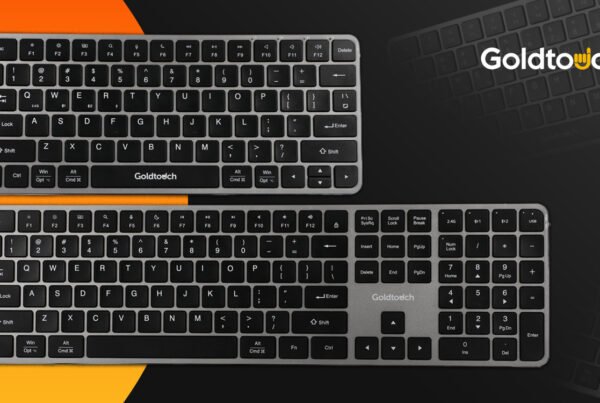
This is why an adjustable split keyboard can become your best friend! An ergonomic keyboard is one of the best pieces of office equipment you can invest in, and Goldtouch has several adjustable options to choose from depending on your hand placement needs. We even offer wireless keyboards that can go wherever you go!
Take frequent breaks

Another thing we often forget when we become fully engaged in our work is stopping to take a much needed break! Taking just a five-minute break to get up and walk around or do some light stretching once every hour can make a huge difference in how you feel, and you’ll likely feel refreshed and ready to focus again after you take a few minutes away from your desk. Not to mention, it also gives your eyes a break!
Goldtouch offers several ergonomic workstation solutions, including keyboards and mice to standing desks, monitor arms, and tablet stands to simplify your workspace and provide the comfort you need to get through your workday.