

Quick Overview: Choosing the Right Gaming Mouse and Keyboard
Picking the right gaming peripherals is about more than flashy designs. Comfort, responsiveness, and durability all play a role in long-session performance. Here’s what to look for:
- Mouse sensitivity & DPI: Match cursor speed and precision to your style of games.
- Ergonomics & grip support: The right shape reduces strain and supports natural wrist angles.
- Customization options: Extra buttons or remapping can give you in-game flexibility
- Build quality: Durable materials and reliable switches ensure long-term performance.
- Connectivity: Wired for responsiveness, wireless for flexibility
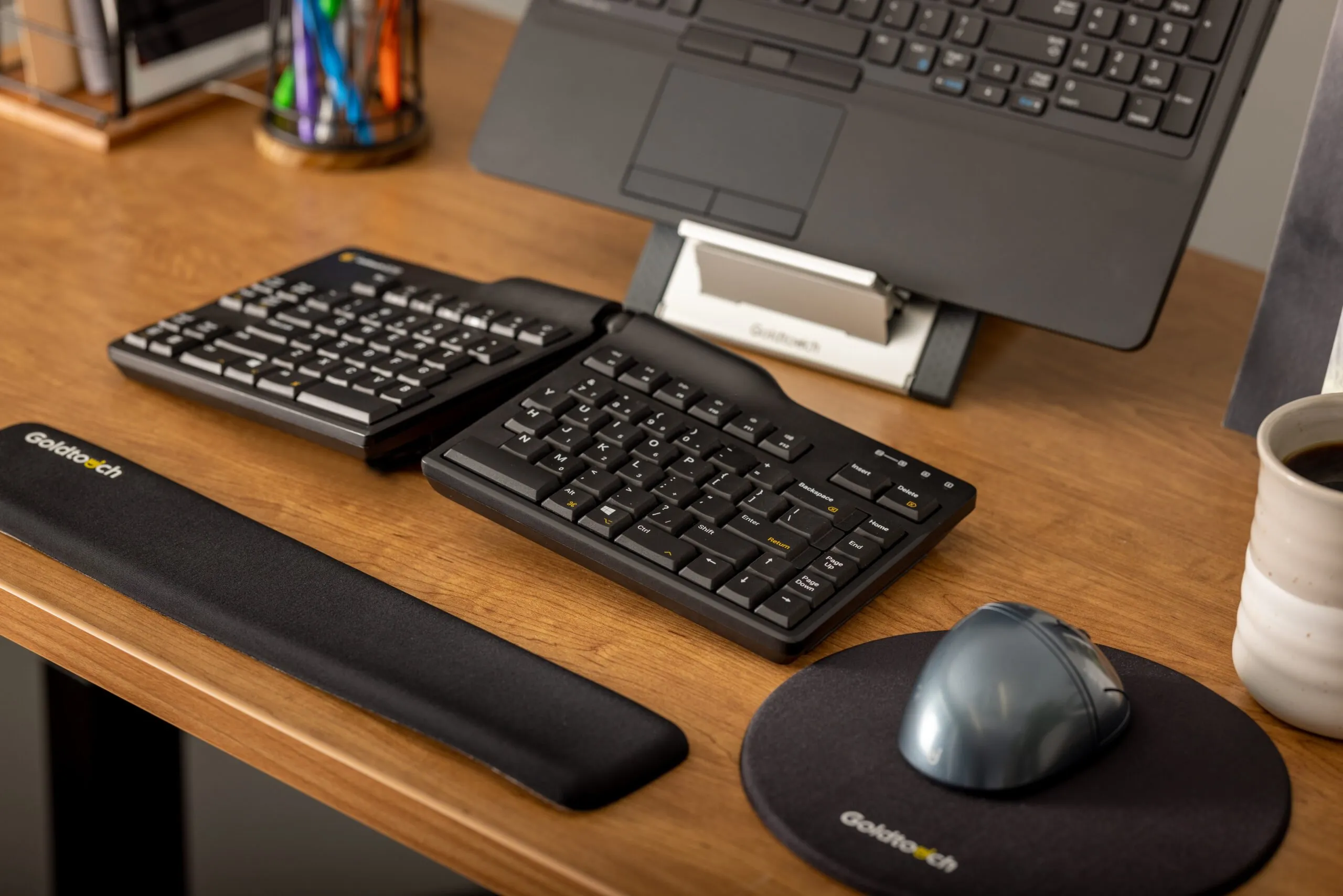
Goldtouch products bring ergonomic alternatives to traditional gaming gear, helping players stay comfortable without sacrificing control.
Introduction to Selecting the Right Gaming Mouse and Keyboard
A practical guide to performance, comfort, and control, plus the ergonomic alternatives from Goldtouch
If you’re serious about gaming performance or simply want a better long-session setup, the right mouse and keyboard can make a measurable difference. But choosing a “gaming” peripheral goes beyond buying what’s popular. It’s about selecting equipment that fits your hand, supports your posture, and responds the way your games demand.
This guide breaks down the most important factors to consider when choosing a gaming mouse and keyboard, and where Goldtouch products fit in for users who prioritize comfort and long-term use as much as in-game responsiveness.

What Specs to Look For in a Gaming Mouse
Gaming mice come in a wide range of shapes and configurations. But behind the flashy marketing, the core features that impact your experience come down to five key factors: DPI and sensitivity, ergonomics, customization, build quality, and connectivity.
DPI and Sensitivity
DPI (dots per inch) measures how far the cursor moves on screen in response to mouse movement. The higher the DPI, the faster your pointer moves with smaller hand input. Many gaming mice offer adjustable DPI, giving players control over how sensitive their mouse feels.
For high-speed games that require rapid twitch movement (like first-person shooters), users may prefer high-DPI settings. In strategy or design-based games that benefit from precision, lower DPI can improve accuracy.
Goldtouch’s FlexMouse and Semi-Vertical Mouse both support fast, fluid tracking with stable DPI for most casual and intermediate gaming. These models aren’t tuned for esports-level polling rates, but they offer reliable responsiveness with added comfort, especially for users who deal with wrist fatigue or want to alternate DPI based on task type.
Ergonomics and Grip Comfort
This is where many “traditional” gaming mice fall short. A product can have a flawless sensor and perfect click latency, but if the shape doesn’t support your grip style or wrist angle, you’ll feel it, sometimes immediately, sometimes after extended use. Grip comfort is influenced by:
- Hand size
- Grip type (palm, claw, fingertip)
Wrist angle - Surface material
Goldtouch focuses exclusively on ergonomic mousing, with three distinct designs that accommodate different preferences. For a deeper dive into how these shapes reduce strain, see our guide to ergonomic mice.
Semi-Vertical Mouse
With a 66-degree slope, the Semi-Vertical Mouse sits between traditional horizontal designs and full vertical mice. It supports a more natural hand angle while maintaining familiar clicking behavior. The design also uses gravity to reduce pinch effort between fingers, easing tension across the forearm and wrist. It’s available in both wired and wireless options, with models for both right- and left-handed users.

FlexMouse
This model includes four interchangeable backs, ranging from Small to X-Large, allowing users to match the mouse to their hand size. The grip is contoured to reduce pressure points and wrist deviation, especially helpful for long sessions. The FlexMouse also includes a built-in 24-degree angle to promote better hand alignment.

Newtral 3 Mouse
Designed with two grip options (a precision grip and an Ergo-Grip flange) the Newtral 3 combines a semi-fist hand posture with a soft gel palm support. The 33-degree slope and frictionless pinky-side support minimize wrist strain and desk drag. It’s available in both wired and wireless options, including a left-handed version.
These ergonomic shapes won’t appeal to every competitive gamer, but for users who want to game longer without pain, they’re a strong alternative to flat-shell gaming mice.

Customization and Programmable Buttons
Most gaming mice today include extra buttons for custom commands, helpful in MMORPGs, shooters, or any setup that benefits from rapid input. Ideally, these buttons are programmable and positioned so they’re easy to reach without adjusting your grip.
The Newtral 3 Mouse includes six programmable buttons that can be customized via driver software (Windows only). This adds flexibility for shortcut keys, macros, or game-specific commands. While Goldtouch doesn’t offer RGB lighting or deep macro layering like high-end gaming brands, these buttons still allow for meaningful setup customization.
Neither the Semi-Vertical Mouse nor the FlexMouse includes additional programmable buttons, so if that’s a priority, the Newtral 3 is the best fit.
Build Quality and Durability
Gaming gear takes a beating with fast movements, aggressive clicks, and extended use all put wear on your devices. That’s why high-quality build materials and thoughtful construction matter just as much as features.
All Goldtouch mice are made with durable surface materials, reinforced internal components, and quality-tested mechanical systems. Notably:
- The Semi-Vertical Mouse includes adjustable weights so users can fine-tune how the mouse feels in the hand, which is a rare feature in ergonomic designs.
- The Semi-Vertical Mouse and Newtral mouse includes anti-slip textures and a comfortable tactile finish to improve grip during extended sessions.
- Click response is balanced for everyday use, with smooth activation and consistent feel over time.
While Goldtouch mice aren’t built with gaming-specific click switches (like Omron), they hold up well under pressure and offer longevity for users who value reliable construction over speed-clicking performance.
Wired vs. Wireless Connectivity
Wireless mice used to suffer from lag and inconsistent signal, but modern models have improved dramatically. The key is matching connectivity to your needs. For competitive gaming, many users still prefer wired setups for the guaranteed response. For casual or hybrid users, wireless offers flexibility and a cleaner desk setup.
Goldtouch offers multiple connection types across their lineup:
- FlexMouse: Available in both wired and wireless models via Bluetooth
- Semi-Vertical Mouse: Wireless version available for right-handed users while wired version supports both hands
- Newtral 3 Mouse: Wired and wireless options available, including left-handed versions. If wireless setup matters to you, check out our full guide on troubleshooting Bluetooth keyboard pairing on Windows for additional support.
If your priority is ergonomic comfort with modern connectivity options, Goldtouch mice give you flexible choices without the clutter.
What to Know About Gaming Keyboards
Gaming keyboards come with a different set of expectations, especially around tactile feel, input accuracy, and lighting. But not every user wants mechanical switches and RGB lighting. For anyone who spends as much time typing as gaming, or who deals with wrist fatigue from flat keyboards, the layout provided by ergonomic keyboards often become the priority.
Goldtouch’s Elite Keyboard isn’t a traditional gaming keyboard. It doesn’t offer mechanical switches or lighting effects. But for users who value comfort and need solid typing performance with gaming-friendly input capabilities, it still checks a few critical boxes.
 How the Goldtouch Elite Keyboard Compares to Gaming Features
Mechanical Switches
The Elite Keyboard uses silicone domed keys, not mechanical switches. This reduces noise and finger strain but lacks the tactile feedback and quick actuation that mechanical switch users often prefer.
Backlighting / RGB
No backlighting or RGB features are included. The Elite is designed for function over aesthetics, with a clean, distraction-free look.
Programmable Keys / Macros
Keys are not programmable by default. However, remapping is possible using third-party applications like Karabiner (Mac) or KeyTweak (PC), which allow users to assign custom functions or create basic macros.
N-Key Rollover and Anti-Ghosting
Fully supported. The Elite Keyboard accurately registers simultaneous key presses without input errors, a must-have for responsive multi-key commands during gaming.
Build Quality
Constructed with high-quality ABS plastic, the keyboard is built to withstand extended use. Laser-etched key labels won’t fade with time, and the overall frame offers a durable feel without unnecessary weight.
Connectivity
Currently available in a wired version, with a wireless model in development. The Elite provides a stable, reliable connection for users who prefer minimal latency.
Ergonomics
This is the Elite Keyboard’s strongest feature. It offers fully adjustable horizontal splay (0°-30°) and vertical tenting (0°-60°), helping users find a more natural wrist and hand position. These features are especially helpful during long sessions and for users managing repetitive strain concerns. For related setup adjustments, explore our ergonomic keyboard guide.
Final Thoughts on Gaming Gear That Fits You
If you’re shopping for a gaming mouse or keyboard, it helps to start with the basics: sensitivity, comfort, customizability, durability, and connection options. For broader advice, PC Gamer’s gaming keyboard and mouse buying guide is also a helpful resource to compare features. From there, think about how you actually use your gear: how long your sessions run, what kind of games you play, and how your body feels after.
Goldtouch may not be a “gaming brand” in the traditional sense, but they’ve carved out a unique offering for players who want comfort-driven performance without sacrificing quality. Their ergonomic mouse lineup all provide hand-specific support with solid build quality and wireless options.
The Elite Keyboard doesn’t have RGB lighting or mechanical switches, but it does support accurate input, excellent ergonomics, and a cleaner, more natural typing posture especially for users who split their time between gaming and productivity.
Browse Goldtouch’s full range of mice and keyboards to build a setup that fits your hand, your desk, and your playstyle.

